How to Generate and Display QR Codes with Laravel and React (qrcode.react)
web-application-framework laravel
This article explains how to generate and display QR codes with Laravel and React using qrcode.react.

Reference
Prerequisite
- You already have a Laravel project set up with React.
For more information, refer to this article.
Environment
- Windows 11
- Ubuntu 24.04.3 LTS (WSL2 distribution)
- Docker Engine 28.4.0
- Amazon Linux 2023(OS of the Docker container)
- PHP 8.2.15 (fpm-fcgi)
- NGINX 1.24.0
- Laravel 12
- Node.js 20.14.0
- Vite 7.1.9
- React 19.2.0
- @inertiajs/react 2.2.6
Workflow
1. Install qrcode.react
Run the following command to install qrcode.react:
npm install qrcode.react
If you can find qrcode.react in your package.json, the installation was successful.
package.json:
"qrcode.react": "^4.2.0",
2. Implement Server Side
Add the following routes:
Route::get('/accessed-by-qrcode', function () {
    return Inertia::render('AccessedByQRCode');
})->name('accessed-by-qrcode');

Route::get('/issue-qrcode', function () {
    return Inertia::render('IssueQRCode', [
        'url' => URL::temporarySignedRoute('accessed-by-qrcode', now()->addMinutes(10)),
    ]);
})
| Route | Description |
|---|---|
| /accessed-by-qrcode | The route accessed via the QR code. |
| /issue-qrcode | The route that generates a QR code. The server sends a URL to be encoded into the QR code. |
URL::temporarySignedRoute generates a temporary signed URL that prevents URL tampering and becomes invalid after a specified period.
In this example, the URL is valid for 10 minutes.
To use this method, you must assign a route name to /accessed-by-qrcode, which is passed as the first argument.
3. Implement Client Side
Add the following Inertia pages:
AccessedByQRCode.tsx:
export default function AccessedByQRCode() {
  return (
    <div>
      <p>Accessed by QR code.</p>
    </div>
  )
}
IssueQRCode.tsx:
import {QRCodeSVG} from 'qrcode.react';

export default function IssueQRCode({ url }: { url: string }) {
  return (
    <div>
      <QRCodeSVG value={url} />
    </div>
  )
}
AccessedByQRCode.tsx is used to verify that the page was accessed via a QR code.
IssueQRCode.tsx is used to generate a QR code.
QRCodeSVG renders a QR code as SVG.
If you want to render it as Canvas, use QRCodeCanvas instead.
Here are the main QRCodeSVG options:
| Option | Description |
|---|---|
| value | The value to encode into the QR code. |
| size | The size of the QR code in pixels. The default value is 128. |
| level | The Error Correction level. A higher level makes the QR code easier to read even if part of it is damaged, but also increases its complexity. Possible values are: L = low (~7%), M = medium (~15%), Q = quartile (~25%), H = high (~30%). The default value is L. |
4. Verify QR Code
Access /issue-qrcode in your browser.
You should see a QR code.
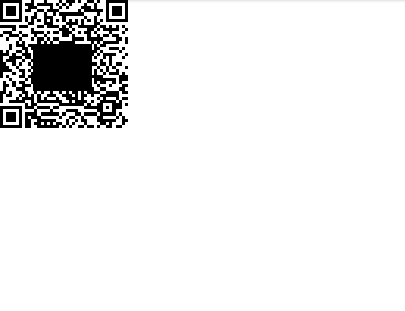
When you scan the QR code, you should be redirected to /accessed-by-qrcode.
Related articles
- How to Fix “Permission denied: laravel.log” Error (Laravel)
- How to Run Code After a Successful Stripe Payment Using Webhooks
- Install Laravel Cashier (Stripe)
- Why the 419 Error Is Thrown When Using Fetch in Laravel?
- Laravel + shadcn/ui Pagination
- Interacting with PostgreSQL from a Laravel Project
- Inertia.js + shadcn/ui Form on Laravel
- Set Up Laravel with a React Project
- Install Bootstrap in a Laravel Project
- Use a Test Database in PHPUnit